


felix86 26.06
Finally, some gaming!
Hardware arrives
This month we received the new SpacemiT K3 board. Since its inception, felix86 wasn’t able to run on any of the out-of-order execution hardware, such as the SiFive P550 or the SOPHON SG2042. The former has no vector support, the latter has XTheadVector support. While initially there was consideration for supporting hardware without RVV 1.0 or hardware with XTheadVector, ultimately the decision was that we should instead focus on the future of RISC-V consumer hardware which will have RVV 1.0 due to it being mandatory in the RVA23 profile.
If you watched the felix86 talk at the RISC-V NA summit you might’ve seen a video of gameplay on K1 hardware. You would notice the lack of modern 3D games running on the emulator, because a lot of them would run at less than 5 frames per second. Now that we have much faster hardware, there’s more to show!
TLDW: Huge performance improvements over the K1, and RISC-V performance will only go up from here.
Lessons learned from new hardware
We’re grateful to SpacemiT for providing us a 16 GB Pico-ITX K3 board. Here’s some lessons learned within just a week of using this board.
Performance in games went up by a ton
In most games, performance is up 3-4x compared to the K1. In other games, the performance boost is even bigger. For example, Trackmania Nations Forever would run at 3-4 FPS in the K1, but now runs at ~35 FPS.
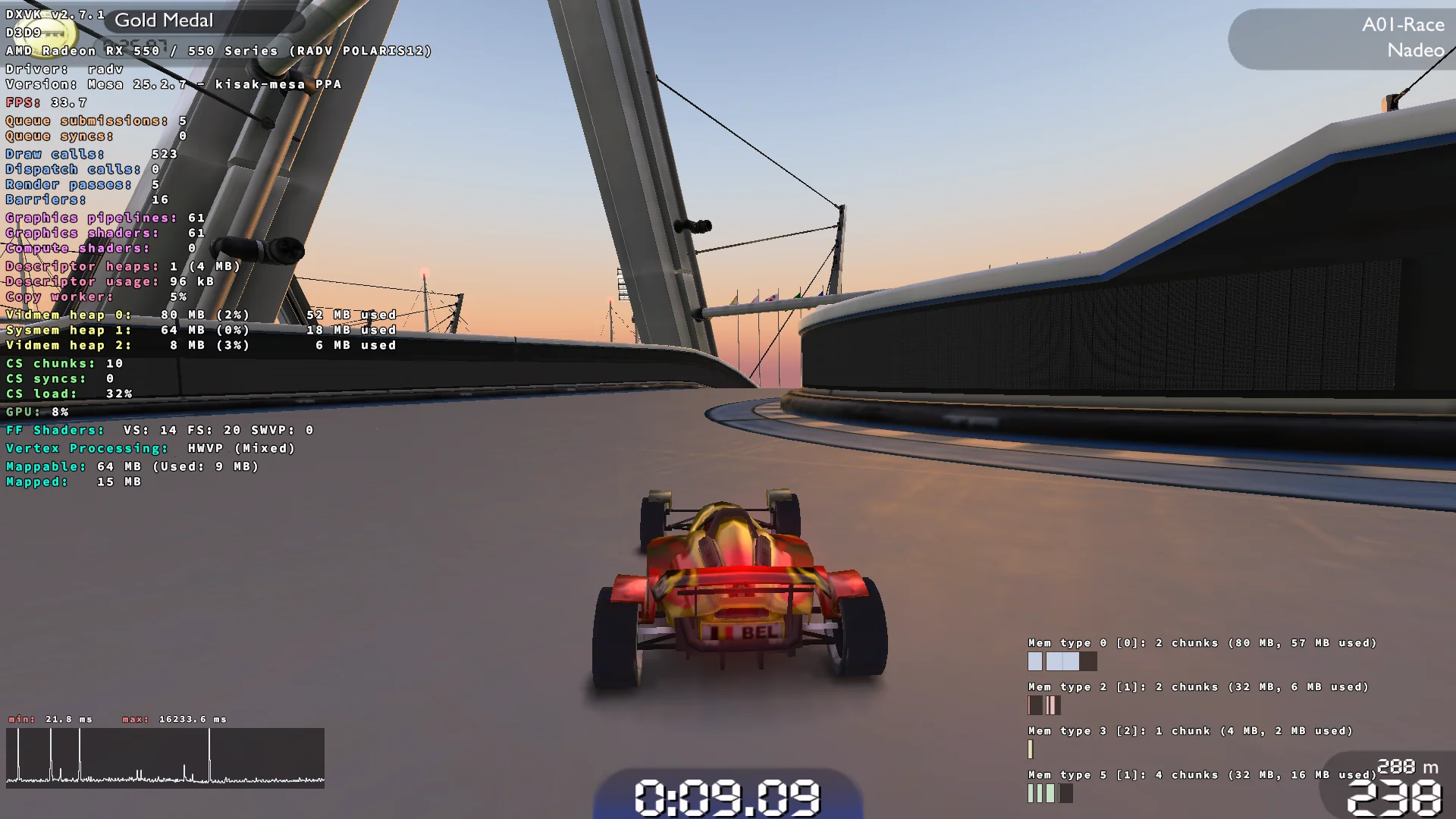 The performance improvement is 10x in this game
4x PCIE might bottleneck some games
On heavier 3D titles, GPU usage frequently hits 100%. This may be indicative of a GPU bottleneck which may be related to the 4x PCIE slot (via M.2 M-Key) that we use on this hardware. Hopefully a future board contains an 8x or 16x slot.
Zacas is more important than previously thought!
One of the games we tried running on the new hardware was Cuphead. Initially it seemed smoother on the world navigation area, which was expected. But then when a stage is entered, the entire game slows down to 4 FPS. Looking at perf shows us exactly why.
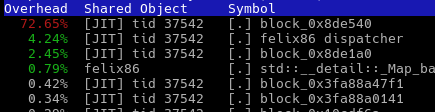 70-80% of execution time spent on a single block?
This is usually a good sign when profiling a game. Looks like it has a clear bottleneck that needs to be optimized. But what could be causing such problems?
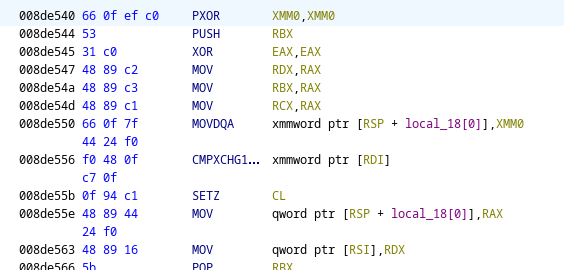 Oh… The one instruction we can’t efficiently emulate without a specific extension
You see, RISC-V doesn’t have 128-bit atomics in the base A extension. In the Zacas extension, the instruction AMOCAS.Q was introduced, which performs a 128-bit compare-and-swap. This is equivalent to the CMPXCHG16B instruction you see in the disassembly here. Without the extension, it can’t be emulated. No hardware comes with this extension as it only recently got ratified and isn’t mandatory in the RVA23 profile.
In felix86, we would emulate this with a global lock. But what happens when a game has many threads and they all use this instruction? We get excessive locking. In hindsight, this was a naive solution, we can do better. By creating a hash of the address, we can index an array of spinlocks based on the address hash. This way we have a fast lookup of address to spinlock. This significantly reduces contention while giving us the same atomicity, as CAS operations on the same 16B line will spin, but the ones on different lines won’t, except in the relatively rare case of collisions. With this new CMPXCHG16B emulation method, we increased Cuphead’s FPS from 4 FPS to 25 FPS in-game, a ~6.25 performance improvement.
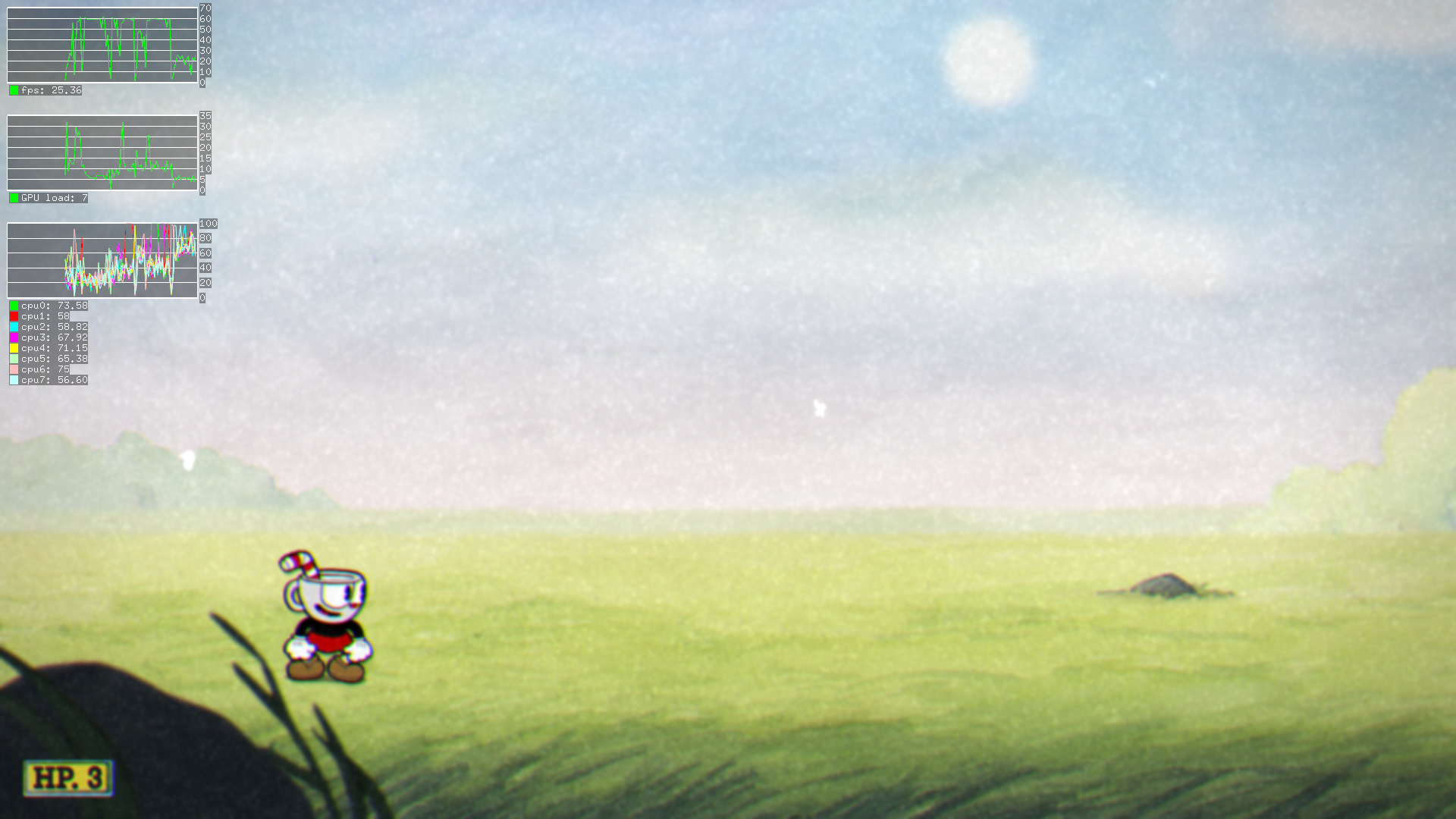 From 4 FPS in felix86 26.05 to 25 FPS in felix86 26.06 in this game and likely other Unity games
While this is great, hardware support for Zacas will push performance even further, and improve stability in games that use other memory operations on the same address.
And so are unaligned atomics
Unaligned atomics aren’t a remnant of the past. Even modern(-ish) games like God of War (2018) use them frequently. Without hardware support they can’t be properly emulated efficiently, so our emulation may cause instability in games, especially as hardware gets faster.
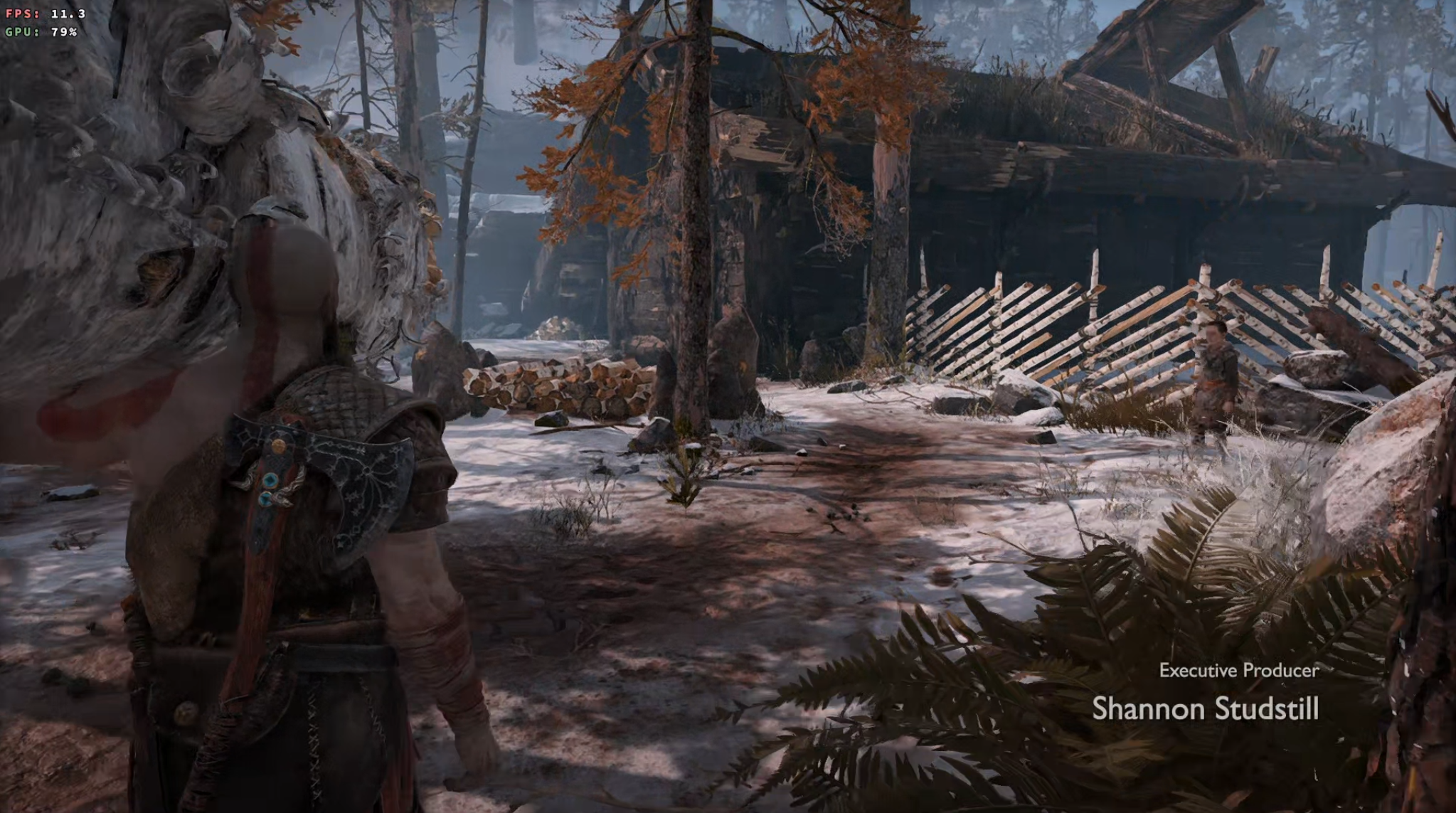 Unaligned atomics are everywhere!
In a perfect universe, unaligned atomics work even if they span two cache lines, just like in x86. However, even allowing unaligned atomics within a 16-byte boundary (Zama16b) would be better than nothing.
Oh and TSO, of course
Faster out-of-order hardware means that games that previously didn’t require TSO emulation on the K1 now do. TSO emulation has performance implications, and enabling it may kill a good amount of the performance gains. RISC-V defines the RVTSO memory model which would work in a fashion similar to x86, and also has a fast-track extension for a dynamic TSO mode called Ssdtso, both of which would help. Apart from those, Zalasr would help us implement something similar to FEX-Emu’s half-barrier TSO mode.
Enabling TSO is still faster than using the A100 cores
The A100 cores in this board are in-order, and they are faster than the SpacemiT K1’s X60 cores. One experiment we ran was testing whether a game that required TSO emulation would run faster on the X100 cores with TSO enabled, or the in-order A100 cores with TSO disabled. The game ran faster on the X100 cores with TSO enabled.
The A100 cores can be useful if you run out of cores
The emulator runs just fine on the A100 cores, and you can run other programs on them as well. For example, I used them to run OBS and record gaming footage, so that OBS doesn’t have to fight with the game for scheduling.
Fakemounting home in the rootfs
We want felix86 to be convenient to use while also keeping the x86/RISC-V library separation that the rootfs provides. For this reason, the /home directory is now fakemounted inside the rootfs in a similar fashion to /dev, /proc, and the rest. This allows users to run x86 executables from home without setting a trusted directory, and perhaps more importantly directly from the host Desktop. Scripts still need to be ran through the emulated shell.
This can be disabled by exporting FELIX86_MOUNT_HOME=0.
You can now run non-readable executables
When registered in binfmt_misc, felix86 is now capable of running executables that aren’t readable, using the O binfmt_misc flag.
FMA3 implementation
This month we implemented the FMA3 extension in hardware, bringing us closer to x86-64-v3. Only BMI2 is missing, which isn’t hard to implement, but PEXT and PDEP emulation wouldn’t be performant.
In any case, the FMA3 instructions are implemented using the multiply-and-add and multiply-and-subtract instructions in the base vector set.
Tons of bug fixes
Many bug fixes in this version. Some 32-bit Windows games would not work on versions of Wine without wine-preloader, because the emulator would choose low addresses for loading the Wine elf and interpreter. Wine would then be unable to place the PE executable there and if the executable wasn’t relocatable it would crash. This is now fixed by placing the 32-bit executable and interpreter in high addresses by default, since non-ASLR executables almost always want to be placed in lower addresses.
Another bug was due to some huge blocks appearing in code, making us run out of code cache memory during compilation. Blocks spanning thousands of instructions. We now split those blocks into smaller blocks up to a maximum amount of instructions.
A bug was fixed in our XSAVE implementation that made it not account for the RFBM value. This would cause issues in newer versions of Wine. It is now fixed.
There was also a bug in our VPSHUFB implementation when using ymm registers. And also one in AESKEYGENASSIST when using vector registers instead of memory. Both are now fixed.
Finally, we were neglecting REG_ERR and REG_TRAPNO in the signal frame, which caused some executables to panic. This is now handled better than before but is not perfect yet.
Optimizations
Apart from the Cuphead optimization mentioned above, the VPSADBW and BT-to-memory instructions are optimized from running a function to inline assembly. BT was used a decent amount in Crysis, and VPSADBW was used in some video decoding benchmarks and likely in FMVs in some games.
Thanks for reading this post.
If you like this project, please give us a star on Github: https://github.com/OFFTKP/felix86